Authoring in Moodle without a developer
A 30-minute screen-share on my own Moodle 5.2 site, stock Boost theme, no plugins, no custom code. A teacher account builds the content live. If a teacher can do it, your content team can.
The sentence this demo answers
"I want to build these exercises from the admin portal only. I don't want to do development every time I have a new exercise."
Organisations deciding whether Moodle fits, and stakeholders who have been told they will need a developer every time they want a new exercise. Everything shown is core Moodle. Nothing is deployed during the session, and the person building the content is a Teacher account, not an administrator.
The site is a fictional school, Northbridge Learning, with one textbook chapter built out: English reading and grammar, Unit 3, Weather and Seasons. All content is invented. It exists so you can see a finished unit and then watch one more exercise get added to it, live.
Seven things, in thirty minutes
-
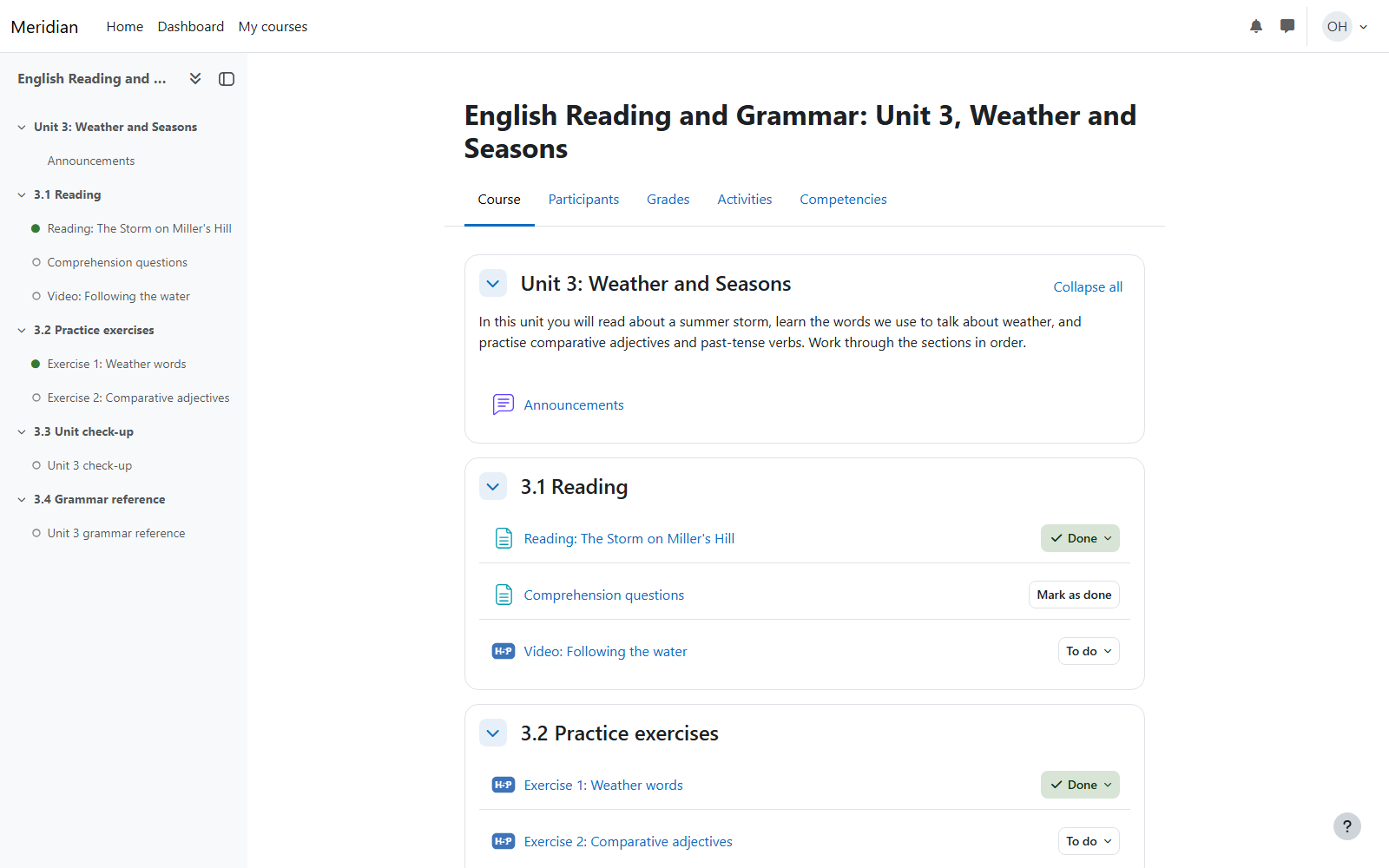
A finished unit, as a learner
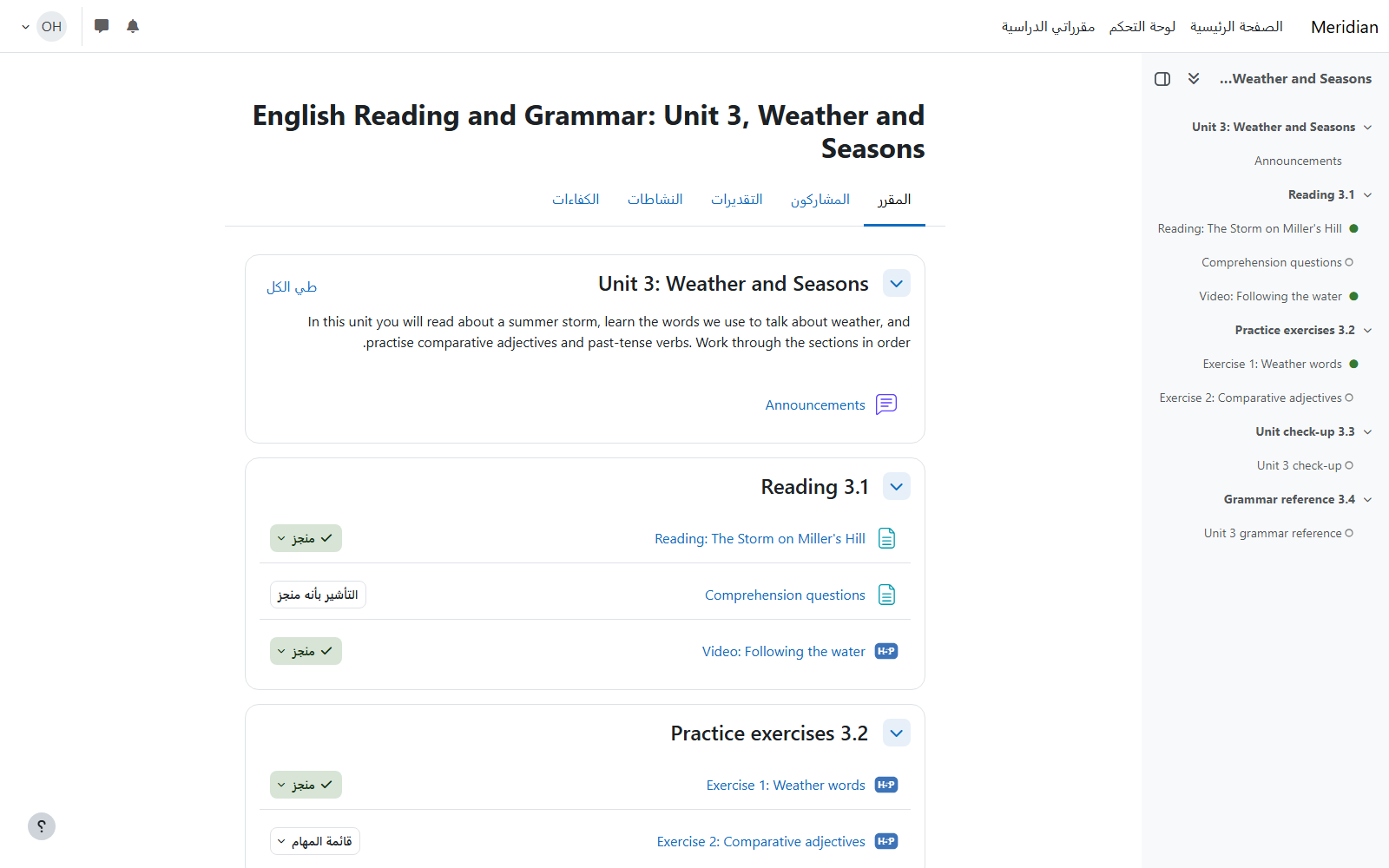
A textbook chapter laid out as the book is: reading, practice exercises, a graded check-up and a grammar reference, with completion ticks as the learner works through it.
-
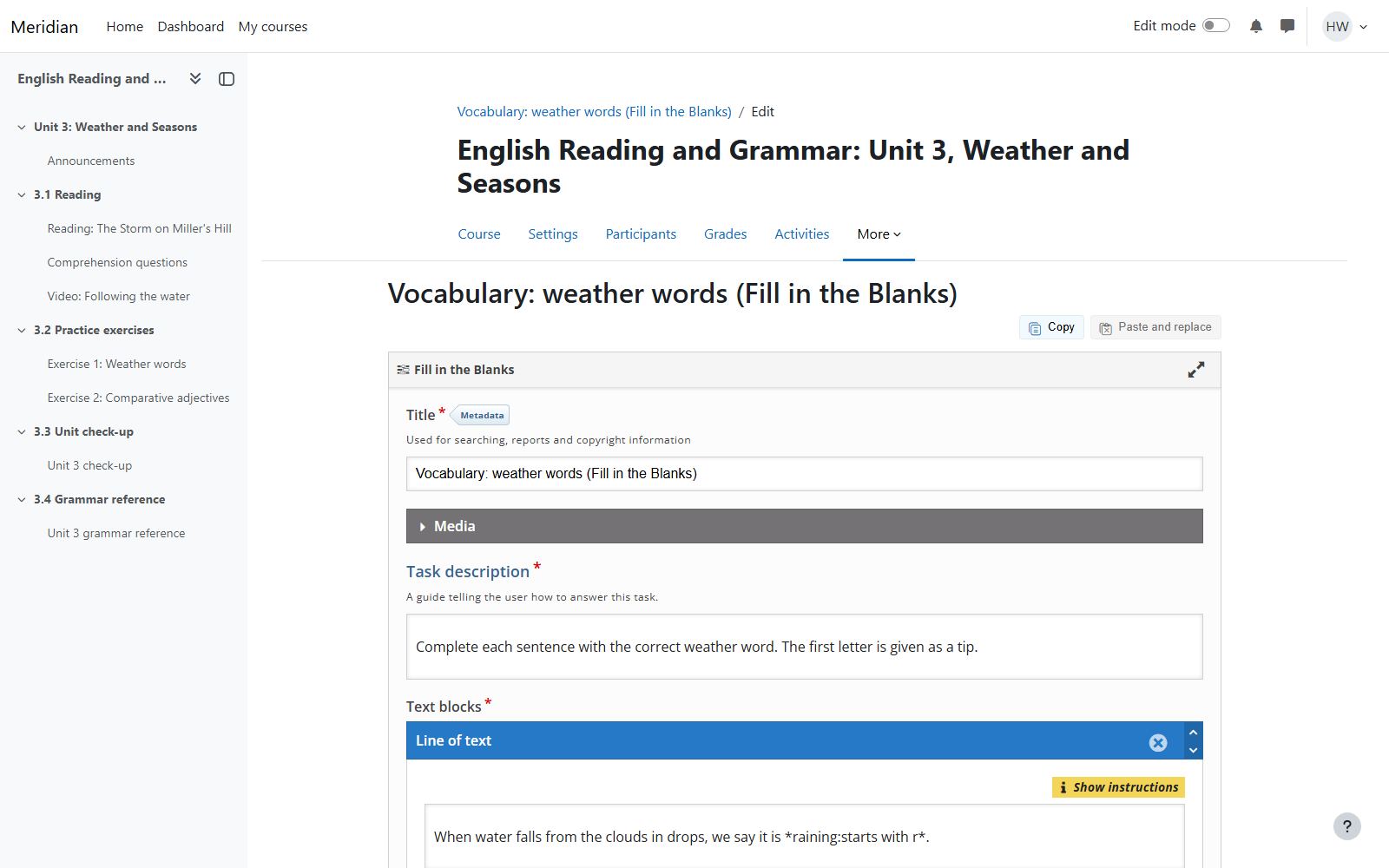
One exercise built live, as a teacher
Content bank, Add, choose from 57 H5P exercise types, type two sentences with the blanks marked with asterisks, save, place it in the course. About three minutes from blank screen to a learner answering it.
-
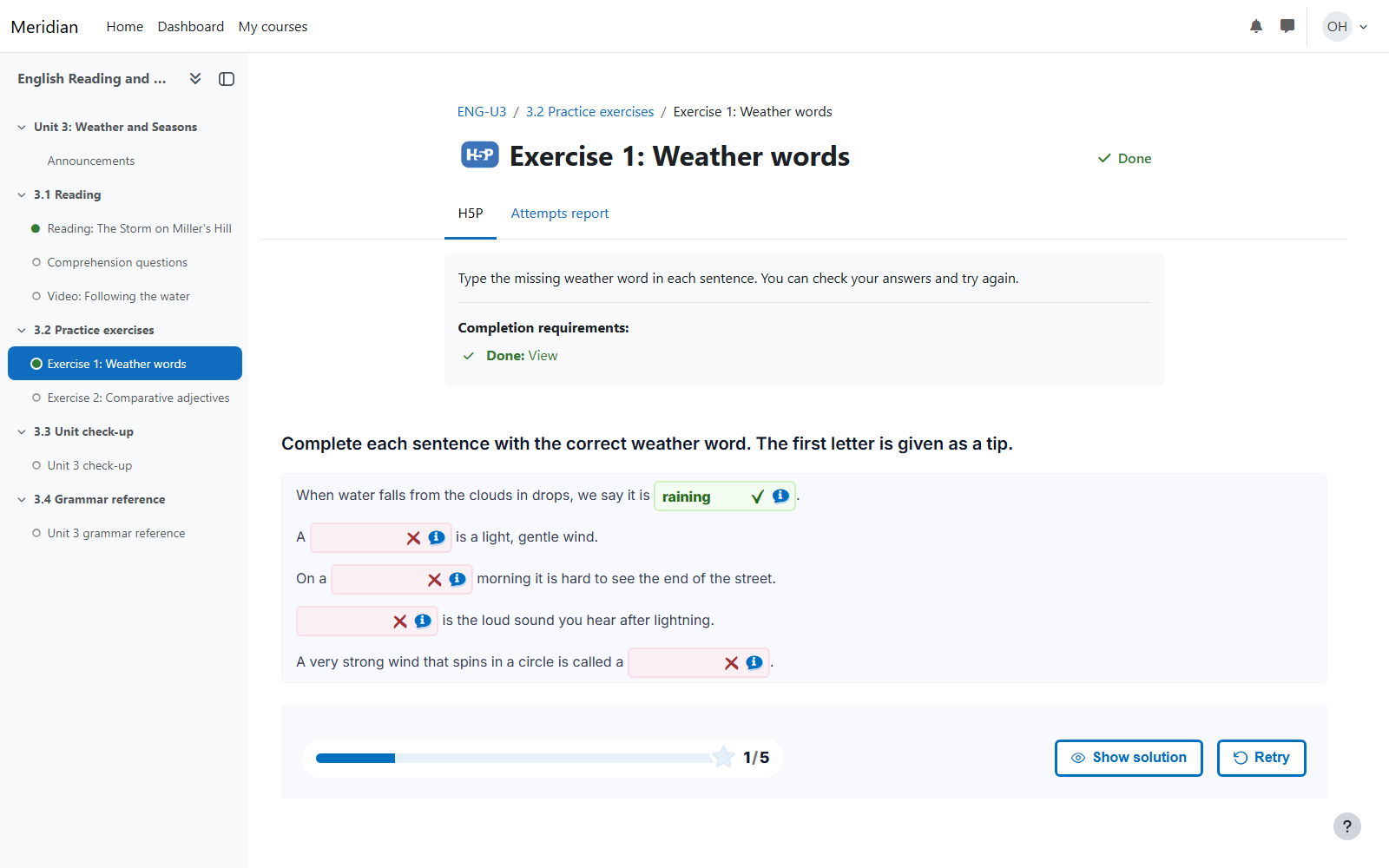
The learner sees it immediately
Refresh, answer, check. Nothing was published or deployed. The moment the teacher saved, the learner had it.
-
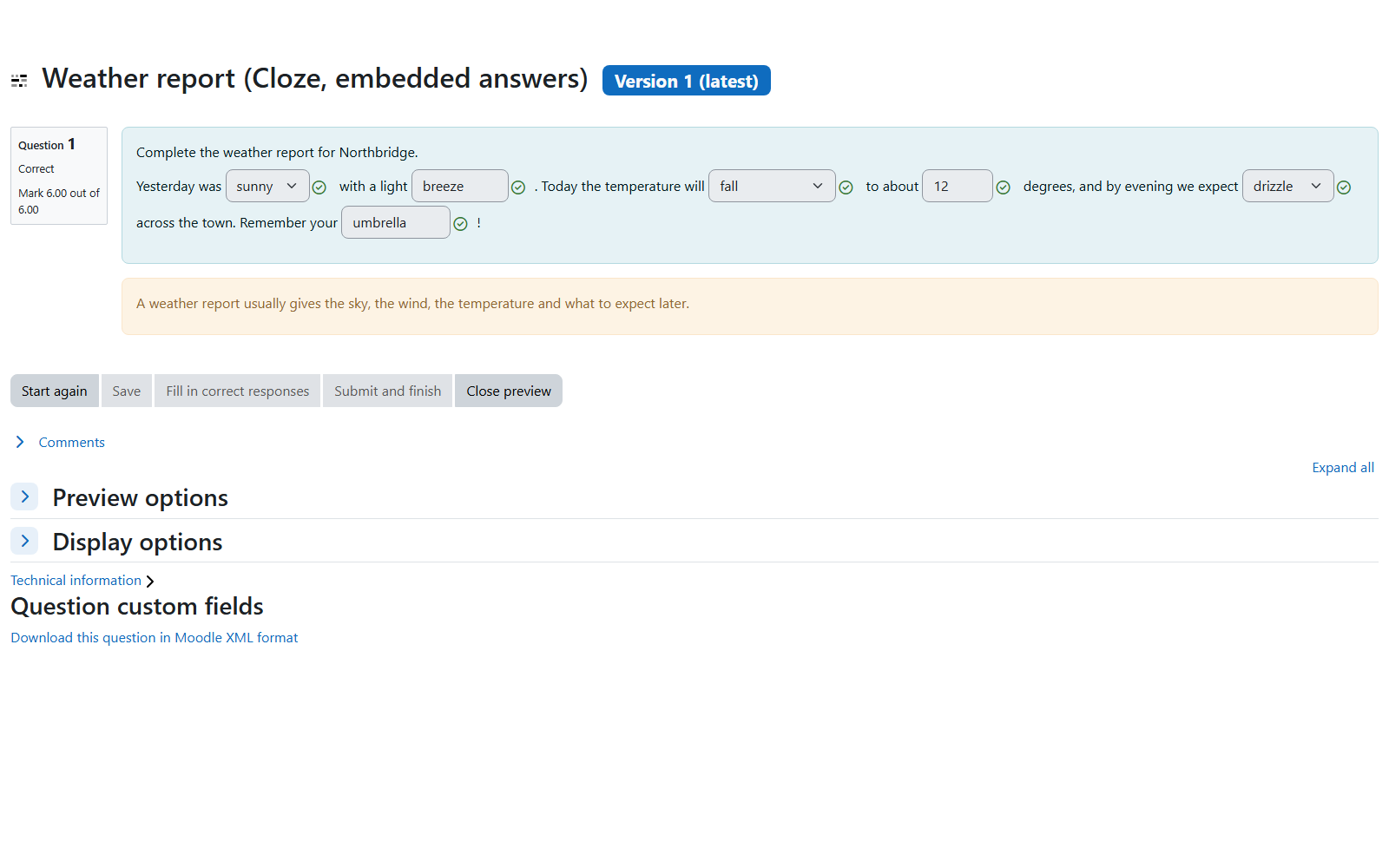
Graded questions through the question bank
Cloze passages with dropdowns, typed words and numbers; drag and drop onto an image; drag and drop into text; select missing words. Marks flow to the gradebook automatically.
-
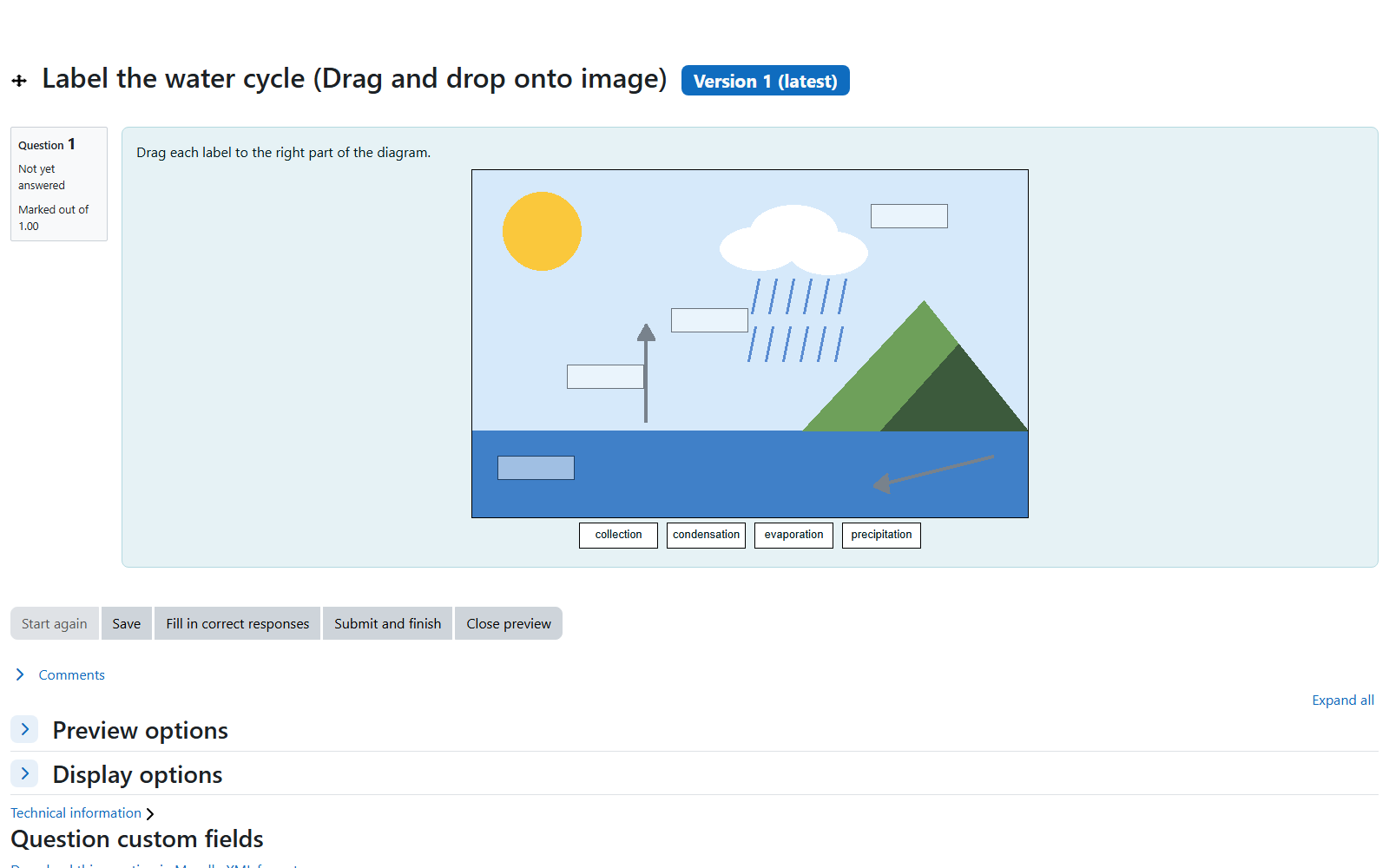
Drag and drop onto a diagram
The diagram is an image the author uploads; the drop zones are drawn on it in the question editor with the mouse. Cloze is the one type with a text syntax; the rest are form-driven.
-
Book and interactive video
Multi-chapter reading with a table of contents, edited in the browser. A YouTube link with questions on the timeline that pause the video until they are answered.
-
Arabic and right-to-left
The same site switched to Arabic with the layout mirrored, to show what localisation looks like before any translation work is commissioned.
Book a walkthrough, or ask for the guest link
The demo runs on my machine and is rehearsed before every call: caches purged, pages warmed, a reset script that returns the course to its clean state, and a fallback for every live step so a misbehaving editor costs five seconds rather than the meeting. It is free, and you get a written summary afterwards of what was shown and what your case would still need built.
Guest access gives you a student login on the demo site for a week so you can click through the unit yourself before or after the call.
At a glance
- Format
- Screen-share, 30 minutes, free
- Platform
- Moodle 5.2, stock Boost, no plugins
- Accounts
- Teacher and student, not admin
- Shown
- H5P content bank (57 types), question bank, quiz, Book, interactive video, Arabic RTL, completion
- Afterwards
- Written summary and a gap list for your case