theme_atrium
A complete Boost child theme for Moodle 5.1 and 5.2. Every page an administrator, teacher or learner sees is designed, every feature is a setting, and every feature has a test.
Why I built it
Most Moodle sites either run stock Boost or buy a commercial theme that brings a page builder, external requests and a support dependency. Atrium is the third option: a theme that gives an administrator a designed site through Moodle's own settings pages, fetches nothing from outside the site by default, and is testable the way core is. I studied the feature lists of commercial themes to decide what a "whole theme" must cover, then designed and wrote Atrium's own implementation of each.
What it does
| Area | Feature |
|---|---|
| Setup | Quick start: one click makes a fresh site look finished (front page, footer, quick links, login page) using only what the site already knows about itself. Everything it writes is a normal setting |
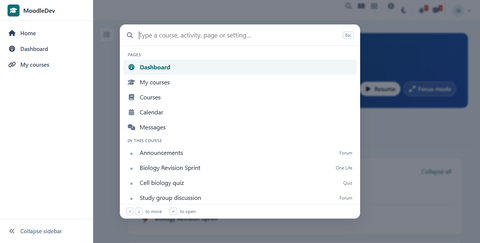
| Navigation | Left sidebar that collapses to icons, and a Ctrl+K "search and go" palette that finds courses, activities in the current course, common pages and admin pages, respecting the user's permissions |
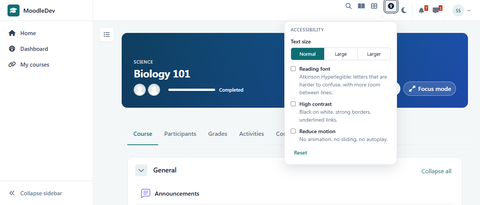
| Accessibility | Accessibility toolbar: text size, high contrast, reading font and reduced motion, stored as user preferences. Plus a published accessibility statement of the kind UK and EU public bodies must have, generated from the site’s live settings rather than asserted, so switching a feature off removes the claim that it exists |
| Commands | The same Ctrl+K box runs things as well as finding them: editing on, colour scheme, focus mode, any accessibility setting, purge caches, sign out. A command posts with a session key and is re-checked against the user’s own permissions at the moment it runs |
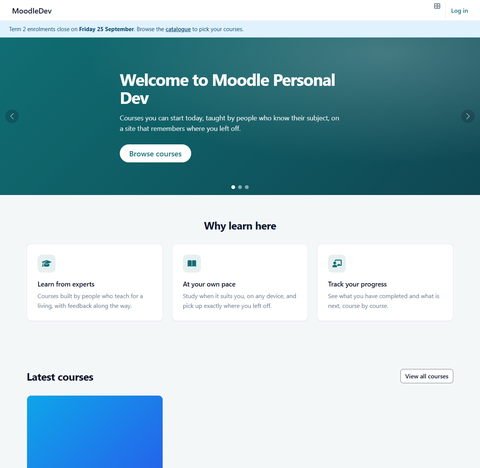
| Front page | Hero carousel with autoplay that pauses on hover and respects reduced motion, feature blocks, course showcase, stats strip, testimonials, about band and CTA band, each with its own on/off switch and content settings |
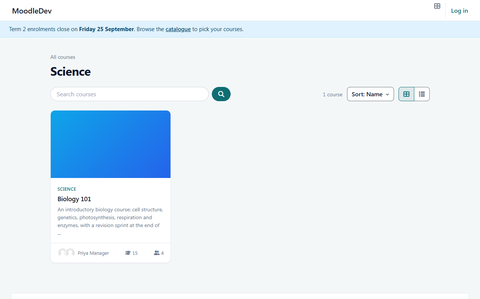
| Catalogue | Course catalogue with search, category and sort filters, grid or list view, course cards with teachers, enrolment count, progress and price badge |
| Enrolment | Designed enrolment page for guest, self and paid enrolment with instructor profiles |
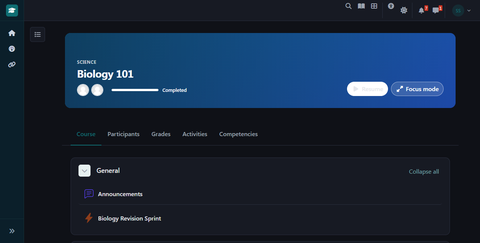
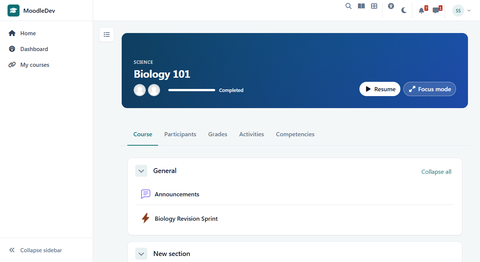
| Course | Course banner with progress and resume button, focus mode that hides everything but the content |
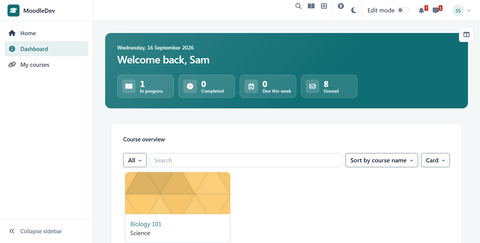
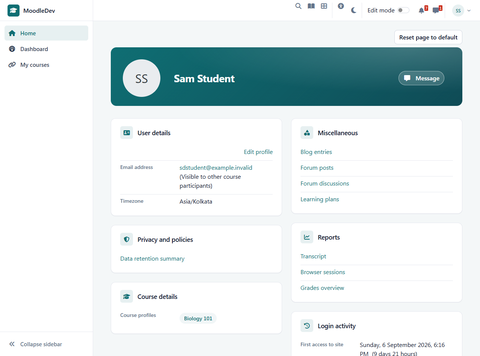
| Dashboard | Card dashboard with greeting and progress tiles, announcement bar with per-user dismissal, quick links grid, designed profile page |
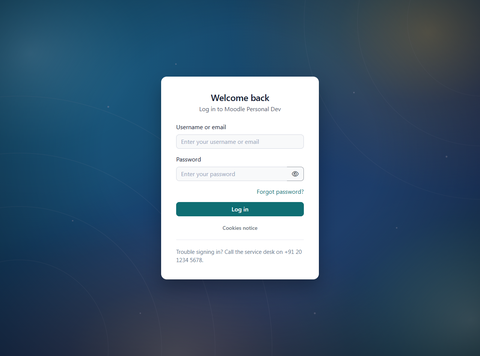
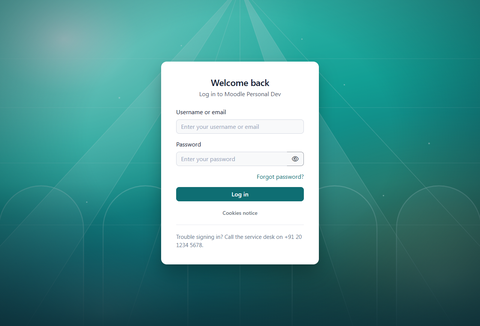
| Login | Centred, left-panel and right-panel layouts with custom text |
| Appearance | Seven colour presets with a brand colour override, dark mode with a per-user switch (light, dark or follow the device), configurable footer |
| Pages print as content: navigation, drawers, controls and footer dropped, the dark scheme flattened to ink on white rather than solid black, sections collapsed on screen opened for paper, tables keeping their borders | |
| Empty states | A dashboard with nothing on it says what to do next instead of showing four zeros, and says something different depending on whether the person may create a course, browse for one, or has enrolment arranged for them |
| Speed | Fonts are served by the site, so no page waits on an outside host. Hovering a link fetches that page early, within a budget, never for a link carrying a session key |
Screenshots
Click any image to enlarge. Demo site content is invented. These are the Marketplace listing thumbnails (480 px wide); full-size captures at 1600 × 1000 are being reshot on the Northbridge Learning demo site.
How it is built
- Boost child theme. Layouts and templates are overridden only where the design needs it; an override register in the README lists every one, so upgrades can be checked against it.
- Settings are typed models with their own unit tests, not raw
get_configcalls scattered through templates. - Per-user state (dismissed announcements, focus mode, grid or list view, accessibility choices) uses core user preferences and is rendered server side.
- No page builder. Fonts are bundled, and the theme makes no request to any outside service unless Google Analytics 4 is switched on, in which case the setting says so and site administrators are excluded.
- Mustache templates follow core's conventions: strings through
{{#str}}, no inline scripts, ARIA via core helpers.
Quality
- PHPUnit73 tests
- Behat20 scenarios
- CI8 jobs passing
- Moodle5.1, 5.2
- PHP8.2, 8.3, 8.4
- DBPostgreSQL, MariaDB
GitHub Actions runs the Moodle plugin CI suite on every push: phplint, phpcs with the Moodle standard, phpmd, phpcpd, PHPDoc checker, Mustache lint, Grunt build check, savepoints, PHPUnit and Behat, across a matrix of Moodle 5.1 and 5.2, PHP 8.2 to 8.4, and both databases. PHPUnit covers the settings models, catalogue and enrolment data, announcement hashing, quick links parsing and preference handling. Behat covers every page a user interacts with: front page sections, catalogue search and view toggle, enrolment for guest, self and fee, focus mode, announcement dismissal, quick links, profile and the login layouts.
What it costs the page
Measured on one site with every theme at its defaults, as the browser receives it: Atrium’s compiled stylesheet is 199 KB gzipped, against core Boost’s 175 KB and Moove’s 318 KB. So about 23 KB more than stock Moodle for everything above, and roughly a third smaller than the most-installed free theme. Both bundled typefaces are served by the site, so nothing is fetched from another host. The method is published in the repository, and no claim is made about render speed, which was not measured.
Status
Version 1.3.0 is submitted to the Moodle Marketplace and is in the review queue (ticket MMR-347). The repository is public, the source and the CI history are open, and the ZIP on the submission is cut from the v1.3.0 tag with all eight CI jobs green.